Industries RestaurantsGuest experience / Restaurants

A warm welcome.
Before they walk in.

Answer guest questions, take online reservations and give your hosts a shared view of the evening. CustomerEagle connects your guest conversations with the Restaurants add-on, so your team can focus on service.

Explore the product. Choose the plan that fits your team.
For teams that want guest communication and table management together.
CustomerEagleInbox · Restaurants
AI + your team
Customer question

Can we book a table for four on Saturday? One of us has a nut allergy.

Your published menu, booking page and guest policies

You can check available times and book through our reservation page. I’ll pass the allergy question to the restaurant team so they can advise you before your visit.

Customer contextParty of four · Saturday request · dietary question for the team
Your team confirms dietary advice and special arrangements.
Illustrative workflow · actions depend on setup
  • Online reservations
  • Guest conversations
  • Floor plans & waitlists
  • Restaurant phone with AI Voice
Three questions your team answers every week

What the AI does. What your team keeps.

Independent restaurants · Restaurant groups · Cafés & bistros · Hotel restaurants

01

Before the visit

“Are you open on Sunday, and do you have a terrace?”

What the AI does
Answers from the opening hours, location details and policies you have published.
Sources: Restaurant website and approved knowledge articles
What a person approves or decides
Keeps seasonal hours, accessibility information and house policies up to date.
02

A table for the evening

“Where can I book for six people?”

What the AI does
Points guests to your booking page or configured widget. The Reservations add-on handles availability and booking rules.
Sources: Your configured reservation page and location rules
What a person approves or decides
Sets capacity, seating windows, deposit policies and exceptions for larger groups.
03

The request that needs a host

“Can you accommodate a severe food allergy?”

What the AI does
Collects the question and hands it to your team with the conversation context.
Sources: Approved menu information and your escalation instructions
What a person approves or decides
Confirms dietary suitability, kitchen arrangements and any promise to the guest.
Follow one request end to end
One evening / One connected workflow

From a question to a welcome.

A guest discovers your restaurant, asks a question and makes a reservation. Your hosts prepare for the visit with the same guest context.

Bookings depend on your configured availability. Dietary advice, special requests and service decisions stay with your restaurant team.

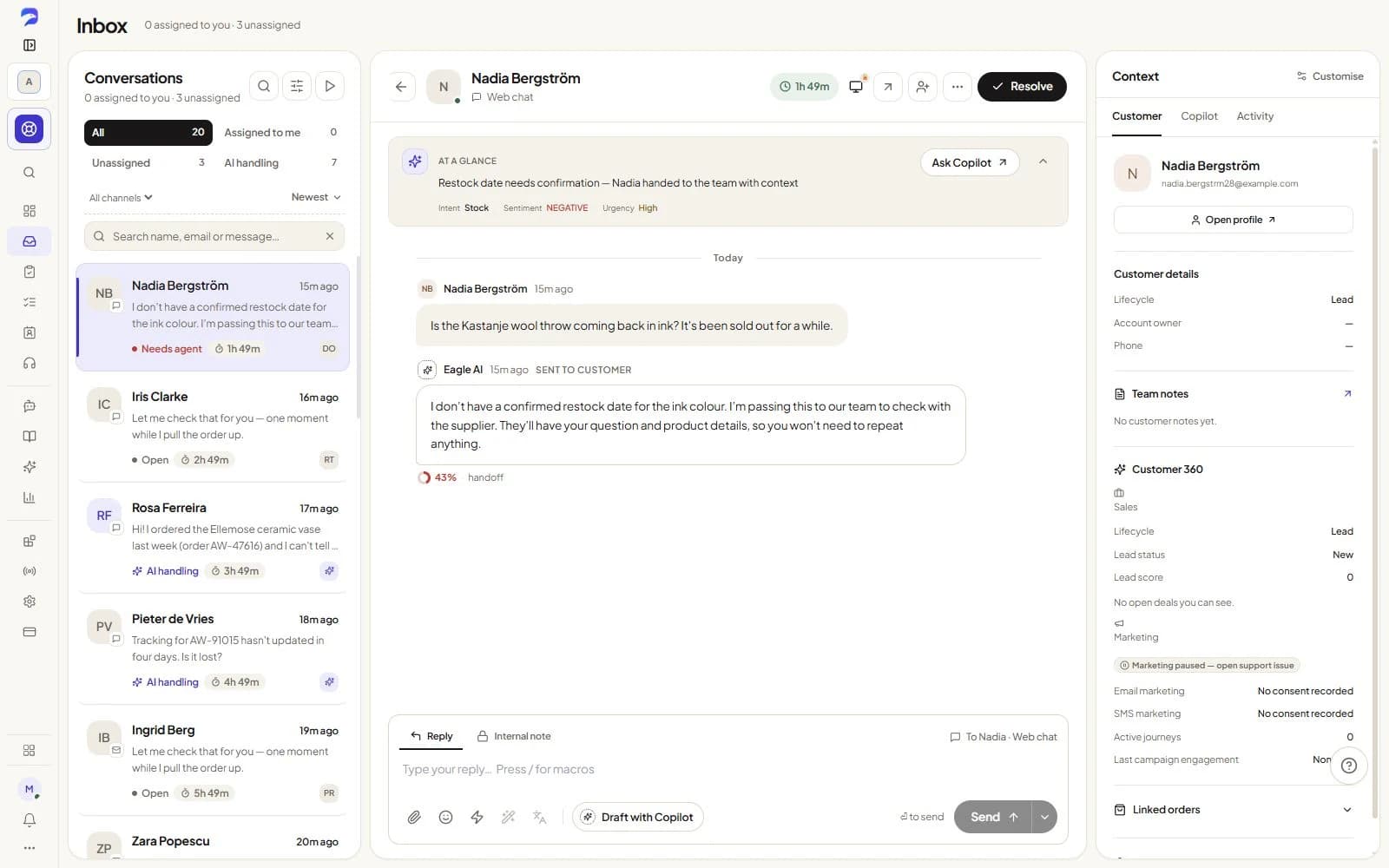
The support inbox in CustomerEagle with conversations from chat, email and social channels.
Real product views · sample data
  1. 1
    Customer

    A guest asks on your website

    They ask about opening hours, the menu or how to reserve a table through your CustomerEagle widget.

  2. 2
    AI

    Your published information answers

    The AI uses your approved restaurant knowledge and directs booking requests to the configured reservation flow. Sensitive or unclear questions go to your team.

  3. 3
    Customer

    The guest chooses an available time

    With the Restaurants add-on configured, your booking page or widget applies the location’s capacity, seating and booking rules.

  4. 4
    Your team

    Your hosts prepare the service

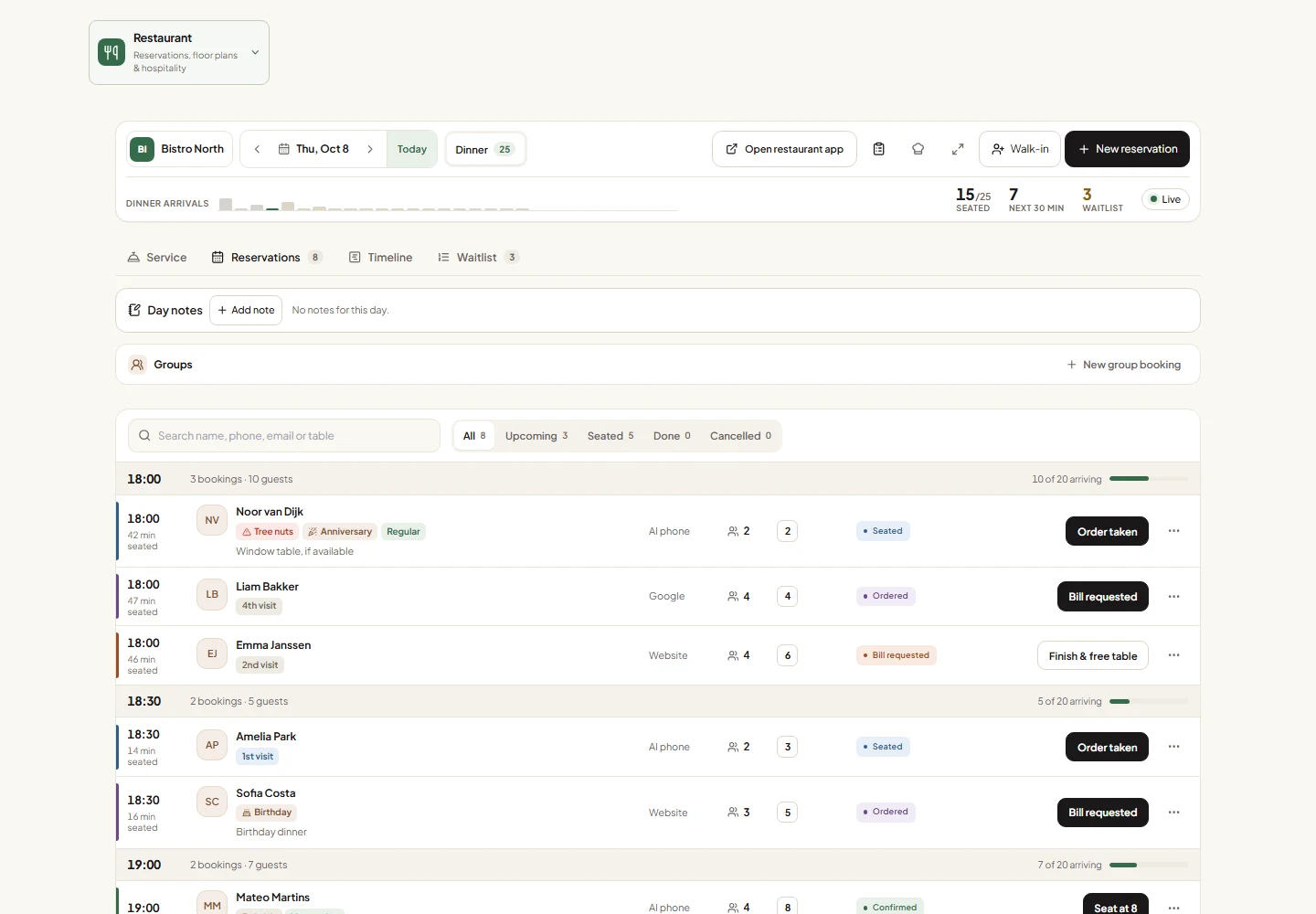
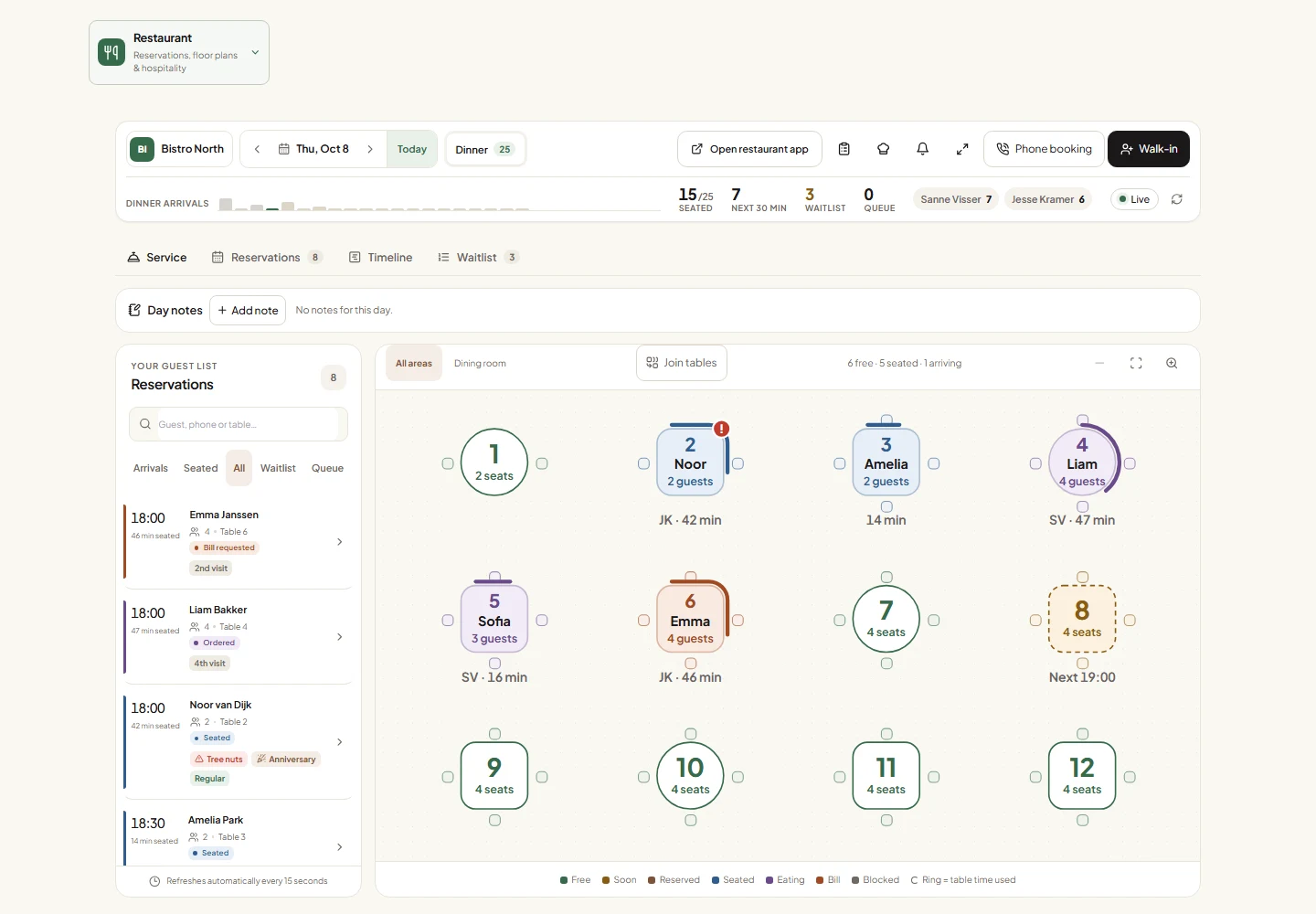
    Review reservations, manage the floor plan and waitlist, and handle guest requests from the connected workspace. The staff app keeps service tools close on phones and tablets.

The honest objection

Will this get in the way of hospitality?

CustomerEagle handles repeat questions and keeps reservations and conversations together. Your hosts keep the personal decisions: special occasions, accessibility arrangements, dietary advice and the welcome at the door.

Where it stops

What CustomerEagle does not do here

  • No food-safety or allergen guarantees from AI replies.
  • No promise of a table outside your configured availability.
  • No replacement for your point-of-sale or kitchen management system.
Sales

Turn a good conversation into a next step.

Bring leads, deals and follow-ups onto the customer record your team already knows. See what needs attention today and keep opportunities moving.

  • Lead inbox, deal pipelines and activity timelines
  • Meetings, sequences, sales goals and forecasts
  • AI follow-up drafts and shared customer context

Core Sales on every plan. Advanced tools on Professional; quotes and CRM sync on Premium. AI uses credits.

Explore Sales →
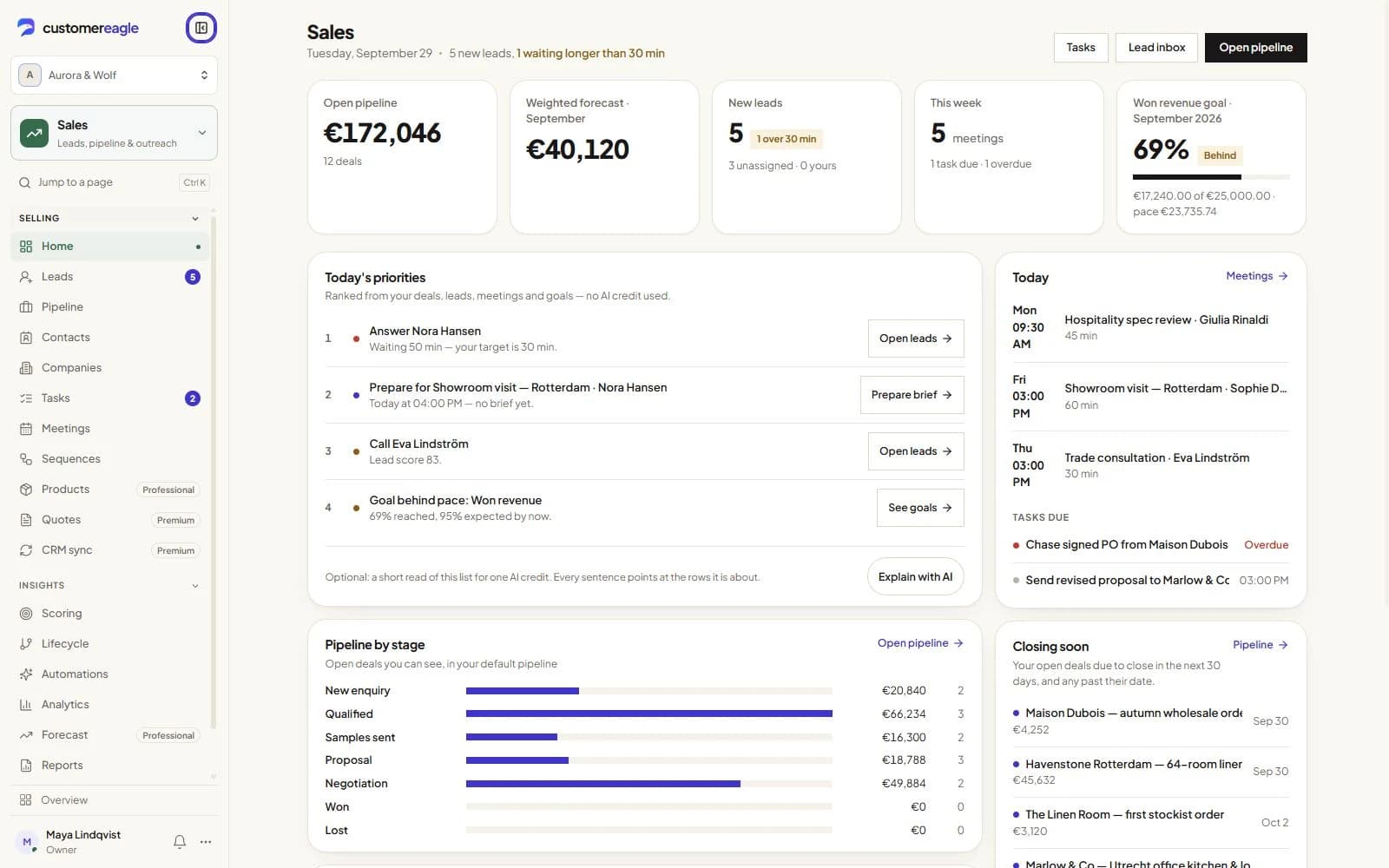
The Sales home: open pipeline, weighted forecast, new leads and today's meetings.
Real product views · sample data
Marketing

Stay relevant after the first conversation.

Build audiences from customer context, create campaigns and guide people through visual journeys. Keep consent and support context close to every send.

  • Email and SMS campaigns, forms and pop-ups
  • Audience segments and visual customer journeys
  • AI email drafts, campaign reports and consent controls

Separate paid add-on; features vary by tier. AI needs Standard or above and credits. SMS uses your provider.

Explore Marketing →
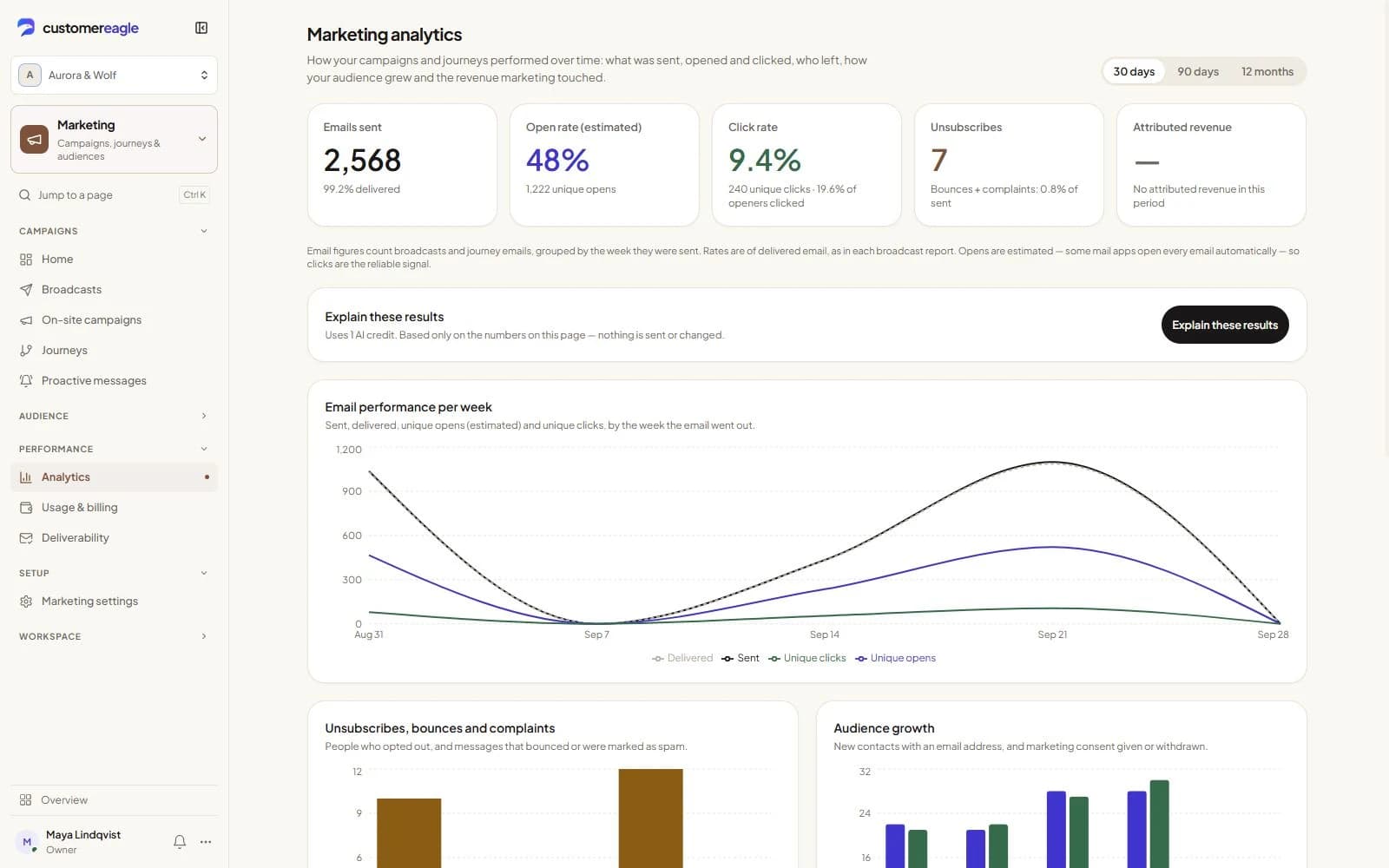
Marketing analytics showing email performance, engagement and audience growth
Real product views · sample data
Questions and answers

Make it work for your team.

Start with your restaurant information, connect the guest channels you use and configure each location’s reservation rules. The Restaurants add-on is in open beta and is billed per location; AI Voice needs its own active, configured add-on.

Review pricing
Can guests reserve through our restaurant website?

CustomerEagle’s Restaurants add-on supports bookings through a configured website widget or direct booking page. Your restaurant sets availability, capacity and booking rules for each location.

Can our hosts work from a phone or tablet?

CustomerEagle provides a dedicated restaurant staff app for service workflows on phones and tablets. Staff need an authorized account and access to the correct location.

Can the AI answer allergen questions?

CustomerEagle can share approved menu information and route dietary questions to your team. Your restaurant team confirms allergen suitability and kitchen arrangements; AI replies are not a food-safety guarantee.

Is restaurant phone support included?

CustomerEagle’s restaurant phone workflows require an active, configured AI Voice add-on as well as the relevant restaurant setup. Voice is a separate add-on and has its own usage charges.

How is the Restaurants add-on priced?

CustomerEagle’s Restaurants add-on is a paid open beta with Essentials, Service and Growth tiers, billed per location alongside your base plan. The Restaurants product page shows current prices and tier capabilities.

Your next great customer experience

Start with one conversation. Build from there.

Try Professional free for 30 days, with Support and Sales in one workspace. Add Marketing when you’re ready.