
Tasks & Team Planner

Keep every follow-up in view.

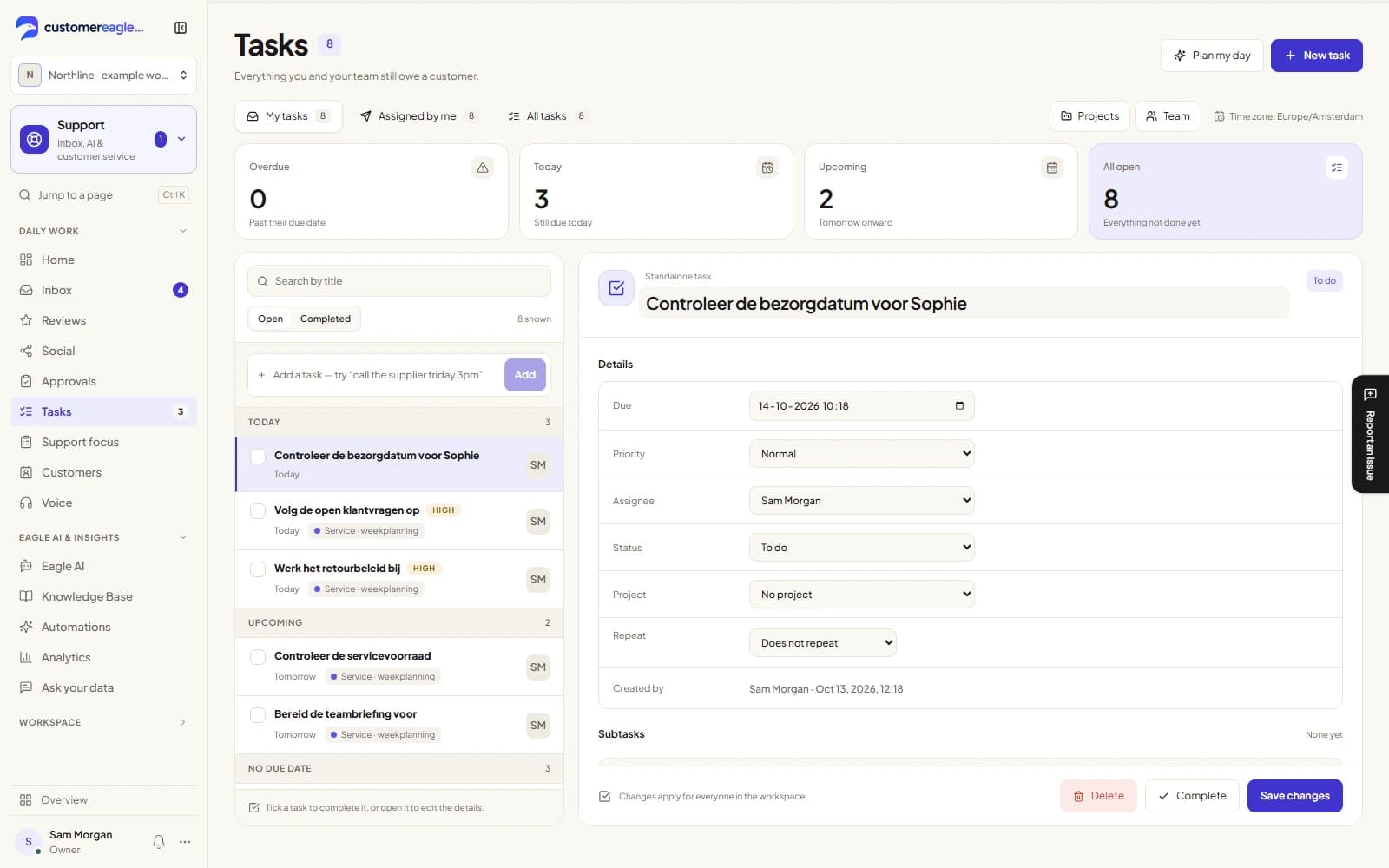
Turn customer follow-ups into tasks with a clear owner, deadline and discussion. Keep each task connected to the customer or conversation it came from.

Start free trial30 days · no card · 50 Eagle AI resolutions to testBook a demo
Sample task detail for an Acme Corp quote follow-up, linked to a conversation, with due date, priority and owner
Real product view · sample data
  • Turn any conversation into a task in one click
  • Assign a colleague and get notified on mentions and due dates
  • Team Planner adds projects, a board and recurring tasks on Professional and up
From conversation to task

From conversation to task in one click.

Every task keeps the link back to where it came from — the conversation, the contact, the company — so nobody has to retype what the customer already said. Tasks keeps the link, not the messages: open the conversation when you need to read them.

  1. 01

    "Create task" in the conversation side panel, pre-filled with the customer

  2. 02

    Due date, priority and an assignee — or leave it for later

  3. 03

    Standalone tasks work too: not everything a team owes a customer starts as a conversation
Assign, mention, never lose a follow-up

Assign, mention, never lose a follow-up.

Hand a task to a teammate and they hear about it — in the app, by email, and by push on mobile. Mention someone in a comment and they're notified directly, instead of hoping they scroll far enough to find it.

  • Assign to any active teammate, not just yourself
  • @mention a colleague in a comment to notify them directly
  • A daily digest at 8am local time rounds up what's overdue and due today
Comment thread on a task, with a teammate mentioned by name and a reply underneath
Real product view · sample data
Team PlannerProfessional and up

Team Planner: projects, a board, and recurring work.

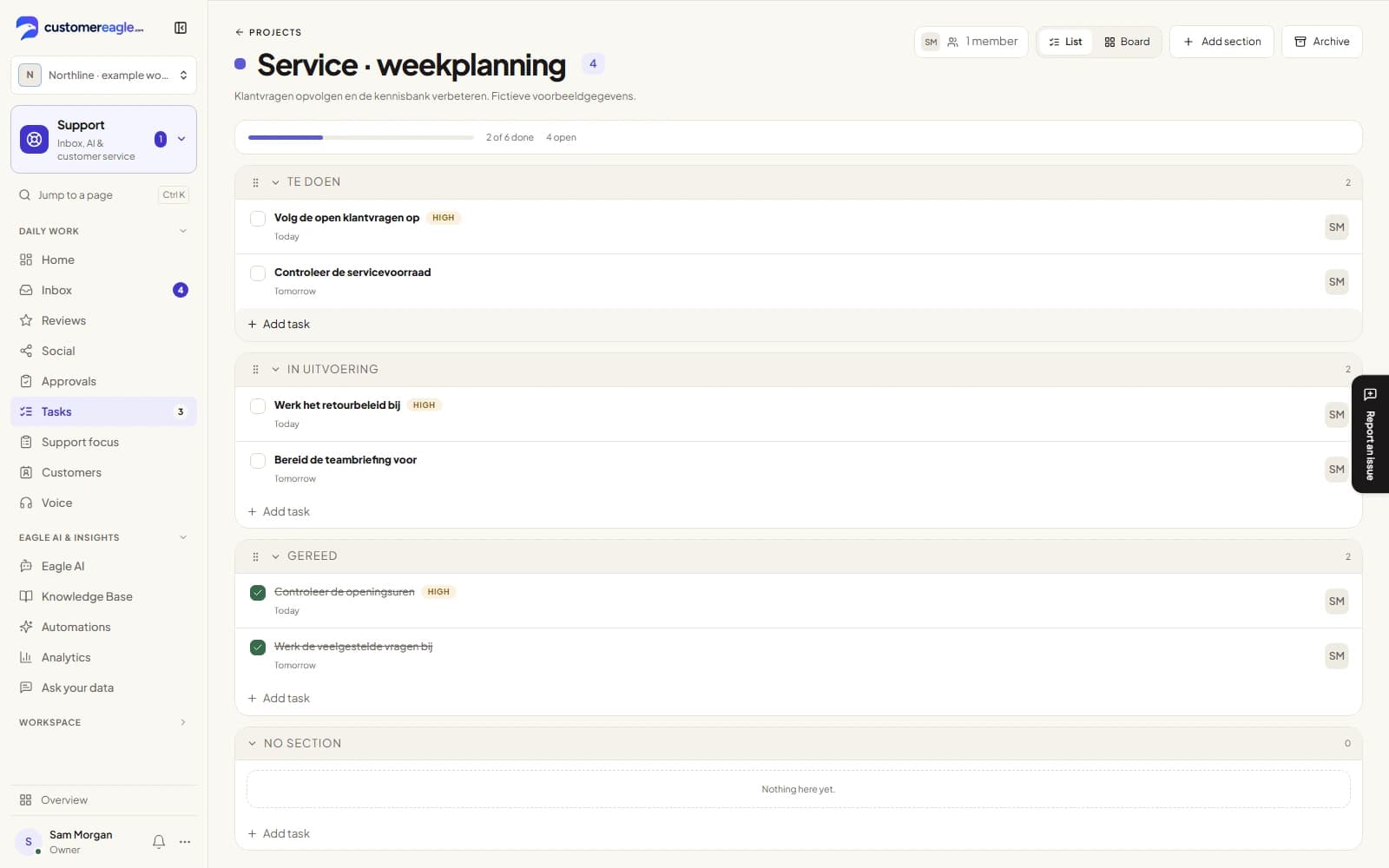
Group tasks into a shared project, see them as a board by status, and set up work that repeats — a weekly pipeline review, a monthly report — without recreating it every time.

  • Board view by status, with sections you name yourself
  • Recurring tasks on a daily, weekly or monthly rule
  • Workload view shows who's carrying what, at a glance
Current board for the fictional Q4 renewals project, showing tasks grouped by status
Real product view · sample data
FAQ

Tasks & Team Planner, answered

Yes. Personal tasks, creating a task from a conversation, assigning a colleague, due dates, reminders and comments are on every plan, including Free. Team Planner — shared projects, the board view, recurring tasks and the workload view — is on the Professional plan and up.

Any active member of your workspace can create a task and assign it to any teammate. It isn't limited to assigning yourself.

A task can carry its own reminder time; when it's due, the assignee is notified in-app, by email and by push, honoring their notification settings. Separately, a daily digest at 8am in each recipient's own timezone rounds up what's overdue and due today, so nobody has to keep a tab open to stay on top of it.

Shared projects with a board view, sections you name yourself, recurring tasks on a daily, weekly or monthly rule, and a workload view showing who's carrying what. It's on the Professional plan and up.

No. A task can start from a conversation, a contact, a company, or nothing at all — not every follow-up a team owes a customer begins as a message.

Give every follow-up a clear next step.

Bring tasks, teammates and customer context together. Try Professional to explore the full Team Planner with your team.

Start free trial30 days · no card · 50 Eagle AI resolutions to testBook a demo