
Run AI-powered support for your WooCommerce store.
Install the WordPress plugin today, including on Free — no theme edits. Connect your WooCommerce store keys on Standard plans and higher for live order lookups and refunds that always wait for a human to approve.
30 days free · No credit card required · Setup in minutes
Explore the interactive demo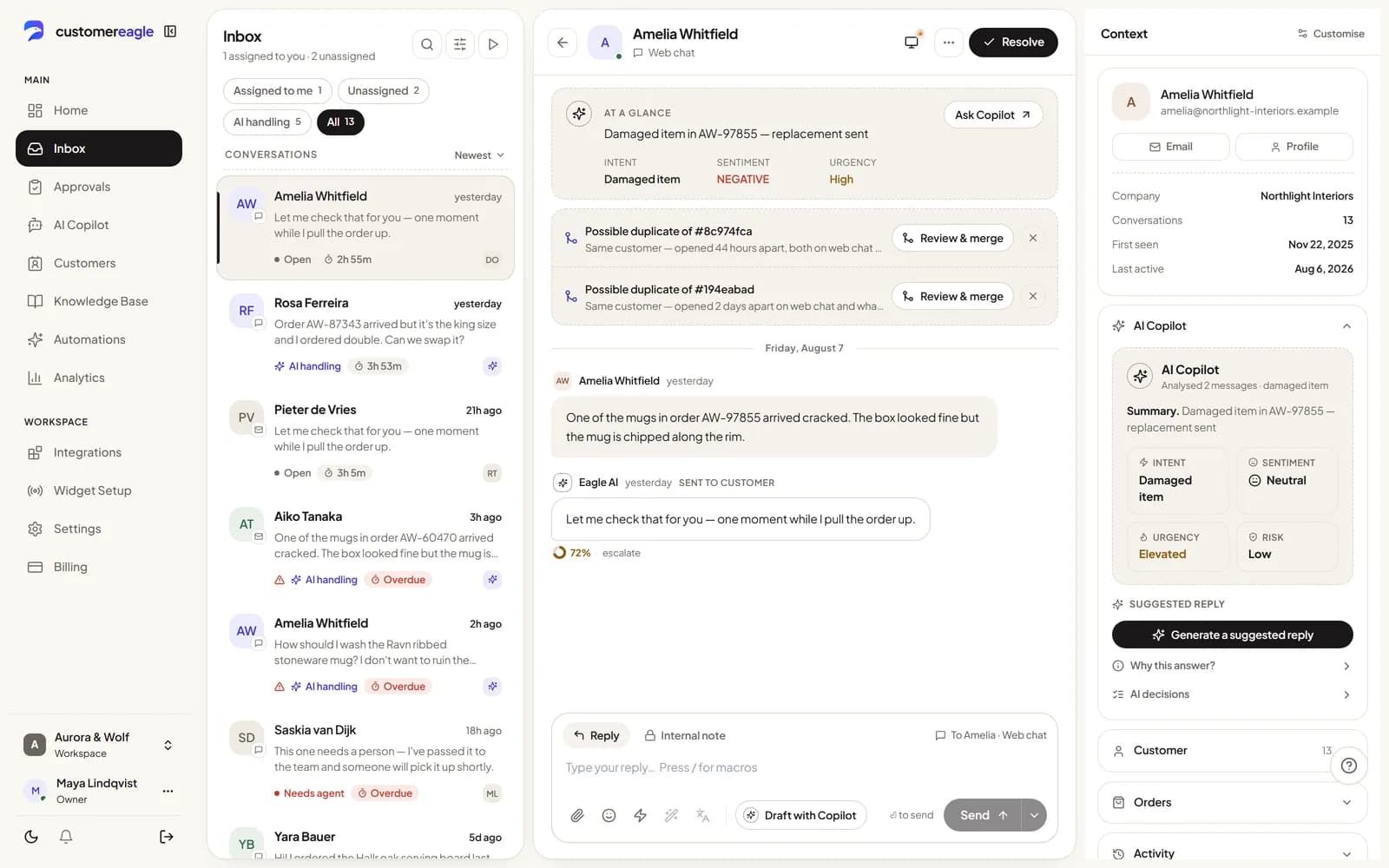
Built for self-hosted WooCommerce stores.
The widget runs on any plan; store-data access adds order answers and human-approved refunds on Standard plans and higher.
Live on your store in one plugin install
The CustomerEagle WordPress plugin adds the storefront widget to any WooCommerce site on any plan — no theme edits, and no store keys required.
'Where is my order' answered from your real order data
Once connected, the AI looks up order status and order notes from your WooCommerce REST API and answers instantly.
No refund goes out without a person saying yes
The AI can prepare a refund or an order-status change, but every write action queues for an authorized agent to approve — it never executes on its own.
You decide how much access the AI gets
Grant read-only REST API keys for order lookups alone, or read/write keys when you want the AI preparing refunds and status changes for review.
Black Friday doesn't change your bill's shape
Standard includes a monthly allowance of AI resolutions per agent seat, so cost scales with your team, not your ticket volume.
Answer the data question before your customer asks it
Primary hosting is in the EU, with a public DPA — details your WooCommerce customers may ask about.
Start with the plugin.
Add the store-data connection whenever you are ready.
Install the plugin & connect keys
Add the CustomerEagle WordPress plugin, paste your Workspace ID, and connect your WooCommerce REST API keys when you're ready for order data.
AI learns your store & policies
It indexes your product pages, help content and return policy, and can look up live order status once store keys are connected.
Launch & keep refunds human-approved
Deploy the widget on your storefront. Order-status questions resolve automatically; refunds and order edits always wait for your team's approval.
Order status without the back-and-forth
Order lookups use your live WooCommerce REST API data, checked against the customer's email by default before any order detail is shown.
- Live order & fulfillment status
- Email-match check before any detail is shown
- Read-only keys are enough for lookups alone
Refunds and order edits remain human controlled
The AI can prepare a refund or a status change from your WooCommerce policy, but an authorized agent always approves it before anything changes in your store.
- Read/write keys only when you opt in
- Explicit approval before any store change
- Auditable, idempotent action handling

Built for how WooCommerce stores actually run
Order lookups, refunds and status changes route through the same REST API keys you already manage — read-only if that's all you want, read/write when you're ready for the AI to prepare refunds for a person to approve. Nothing sensitive ships without a human, pricing is per agent seat with resolutions included, and hosting is primarily in the EU.
Install the CustomerEagle WordPress plugin, paste your Workspace ID, and the widget is live — no theme edits. Connecting your WooCommerce store keys for order lookups needs a Standard plan or higher.
No. The AI can look up orders and prepare a refund or status change, but every WooCommerce refund or order edit is queued for a human agent to approve before it happens.
Read-only REST API keys are enough for order lookups and order notes; read/write keys let the AI prepare refunds and status changes for a human to approve. Order details are only shown to the customer whose email matches the order by default.
Automate your WooCommerce support
Install the plugin on any plan; add the Standard+ store-data connection when you want order-status answers and human-approved refunds.
30 days free · No credit card required · Setup in minutes