
Starting from scratch
Your first help desk. Ready for real customers.
Bring customer questions into one inbox. Add your knowledge, review what Eagle AI learns and launch your chat widget when you’re ready. We can help with the setup.
- 30 days free, no credit card
- One script tag to go live
- You approve what Eagle AI learns first
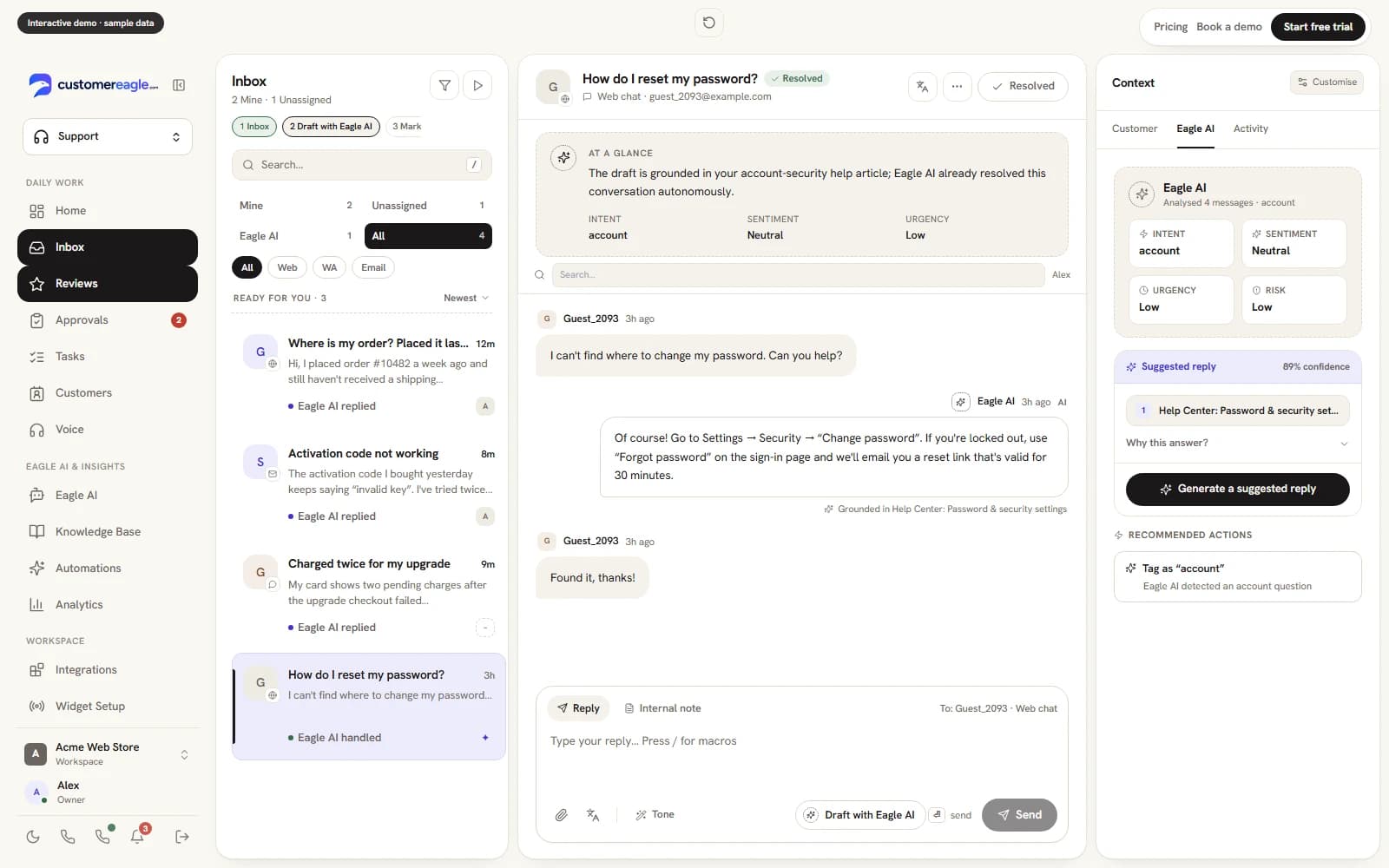
Paste your URL. Ask what your customers ask.
We read up to five pages of your website — nothing else — and answer from them with the source cited. No account, nothing stored beyond fifteen minutes.
Answers come only from the pages read above. If something isn't there, Eagle AI says so instead of guessing — that's the behaviour you'd get on your site too.
Day one
Everything a support team needs, from the first afternoon.
No modules to license, no consultants to book, no six-month rollout. Your trial starts with all of this switched on; after the trial, each channel follows your plan.
Eagle AI trained on your website
On during your trialThe crawler reads your site and builds the knowledge base Eagle AI answers — and cites — from. Professional and up; on other plans you paste or write your content in.
Live chat widget
On during your trialOne script tag on your site. WordPress plugin and Shopify app if you'd rather not touch code. The Shopify widget works on every plan; the store-data app (orders, catalogue) is Standard and up.
Team inbox for email
On during your trialConnect your support address; every conversation Eagle AI can't finish lands with a human, with full context.
Hosted help center
On during your trialYour help center and Eagle AI answer from the same knowledge base, so the two can never contradict each other.
WhatsApp, Messenger & Instagram
On during your trialConnect the channels your customers already message you on — same inbox, same AI. After the trial: Messenger and Instagram on Standard and up, WhatsApp on Professional and up.
A migration project
Not needed — you're starting freshThere's nothing to import and nothing to lose — that's the point of starting fresh.
Already on Intercom, Zendesk or Freshdesk instead? Then you want the migration page: Switching from Intercom, Zendesk or Freshdesk →
How it works
Website in, help desk out — three steps, one afternoon.
- 01
Point us at your website
Sign up and point the crawler at your URL from your dashboard. It reads your public pages and builds the knowledge base Eagle AI will answer from — no content to write first, no spreadsheet to prepare.
- 02
Review what it learned
Everything the crawl found lands in a review queue: approve, edit or discard each page before it enters the knowledge base. What you don't approve, Eagle AI never answers from.
- 03
Paste one script tag
Add the widget to your site — or install the WordPress plugin or Shopify app — and you're live. Email, WhatsApp, Messenger and Instagram can follow whenever you're ready.
Sales
Turn a good conversation into a next step.
Bring leads, deals and follow-ups onto the customer record your team already knows. See what needs attention today and keep opportunities moving.
Core Sales on every plan. Advanced tools on Professional; quotes and CRM sync on Premium. AI uses credits.
Explore Sales →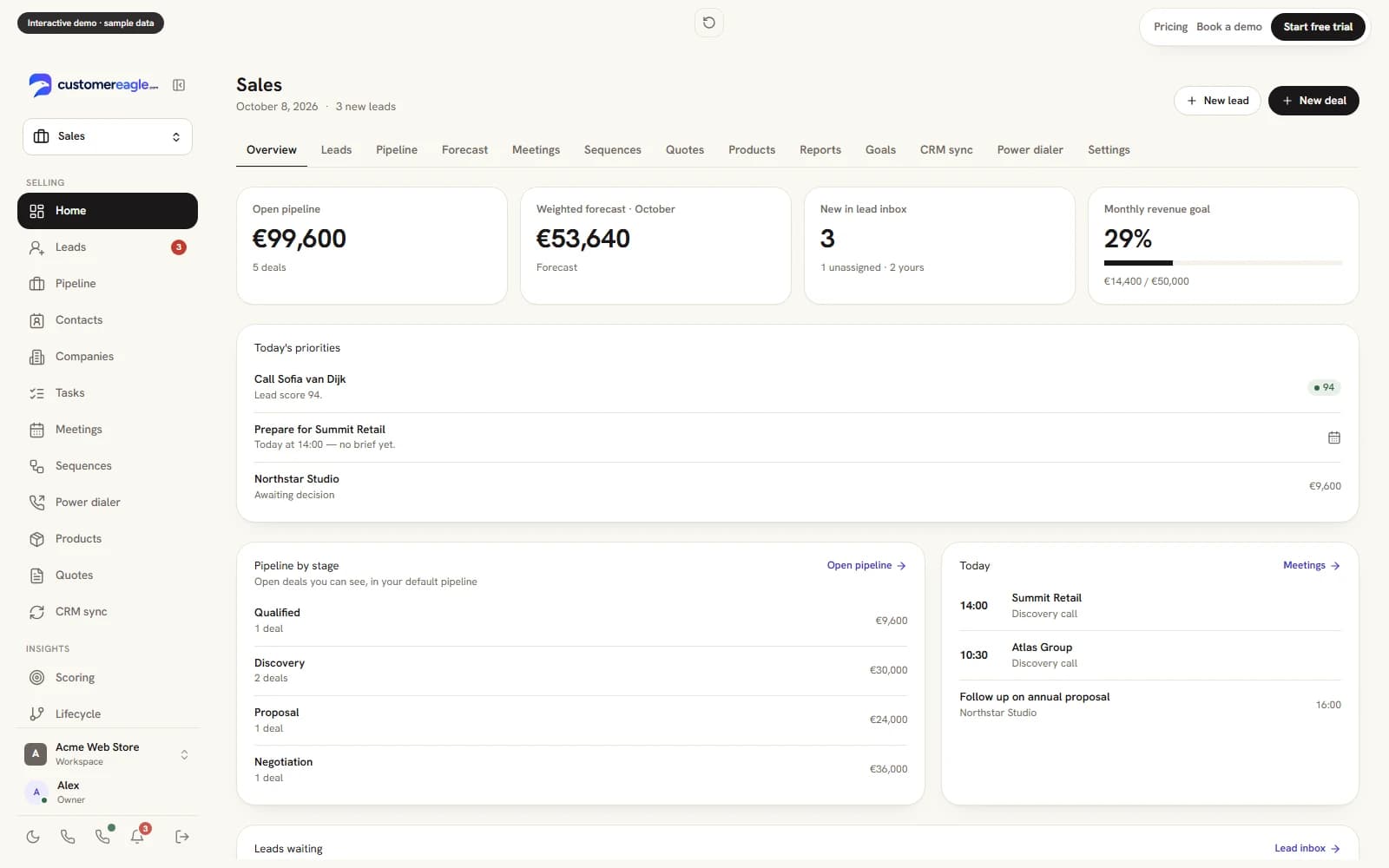
FAQ
Before you start
No — it's the normal starting point. The crawler learns from your website itself, and everything it finds goes through your review queue before Eagle AI answers from it. You can add or paste articles any time; the help center shares the same knowledge base.
It hands the conversation to your team inbox with full context instead of guessing. You answer it once, add the answer to the knowledge base, and that question is covered from then on.
Only for about two minutes: going live is pasting one script tag into your site. On WordPress or Shopify you don't even need that — install the plugin or app and the widget is on your store without touching code.
The chat widget on your website, email to your support address, WhatsApp, Facebook Messenger and Instagram DMs — all landing in the same inbox, all answered by the same AI with the same knowledge base. Plus a hosted help center for self-service.
Never silently. Anything that changes the outside world — a refund, an order edit — goes into an approval queue for a human on your team to confirm. Eagle AI proposes; you dispose.
Nothing to start. The Free plan needs no credit card, and paid plans come with a 30-day trial that needs no card either — pick Standard, Professional or Premium and cancel any time. If you don't upgrade, your workspace continues on the Free plan and keeps any unused trial Eagle AI resolutions. Paid tiers add seats, the website crawler (Professional and up) and a bigger monthly AI-resolution allowance, plus a hard spend cap you control.
Start with one conversation. Build from there.
Try Professional free for 30 days, with Support and Sales in one workspace. Add Marketing when you’re ready.